For artists who have problems with perspective (furniture etc.) in indoor scenes like me – there’s an online programm called roomsketcher where you can design a house/roon and snap pictures of it using different perspectives.
It’s got an almost endless range of furniture, doors, windows, stairs etc and is easy to use. In addition to that, you don’t have to install anything and if you create an account (which is free) you can save and return to your houses.
Examples (all done by me):
Here’s an example for how you can use it
Great find, thanks!
OMG HEAVEN!!
Bless you!!!!
Very nice resource for those looking to improve their perspective, composition, and background rendering skills!
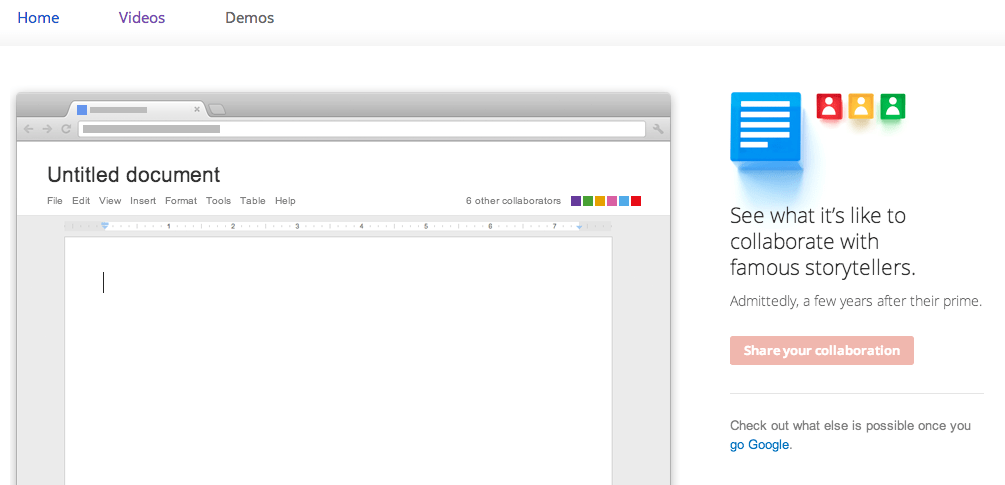
Ninja Update: Wanna see something fun? Mention Shakespeare in a sentence and see what happens.
Poe kept writing distinctly into my sentences so I wrote ”Edgar, you’re not funny” aND HE BLATANTLY DELETED THE NOT I AM SO DONE WITH THIS ASDFKJL
OH GOD IF YOU TYPE “EDGAR ALLAN POE” POE ADDS A 😦 AFTER HIS NAME PRECIOUS BABY
Oh my God so I typed ‘Shakespeare’ and Shakespeare butted in and wrote ‘The lovely and handsome Shakespeare’ but Poe burst in saying ‘The dreadful and lonely Shakespeare’.
aND FYODOR DOSTOYVESKY ADDED ‘ I do not wish to make myself a laughing-stock before these idle listeners.”
I’M DONE.
Look what they did to All Star by Smash Mouth
“Somebody once hushedly told me the world is going to roll me. I ain’t the sharpest tool in the shed. She was looking kind of glocky with her finger and her thumb in the shape of a “L” on her forehead. Well, the years start voraciously coming and they don’t stop coming; fed to the rules and I hit the ground running. It didn’t make sense absolutely to live for fun. Thy brain gets smart but your head gets dumb. So much to do, so much to behold. So what’s wrong with taking the back busy thoroughfares? In everything one thing is impossible: rationality. You’ll never know if thou don’t go. “You’ll never shine if you don’t glow”, he growled incoherently. Hey presently, you’re an All Star. Get your game on; go play. Hey now, you’re a Rock Star. Get the show on; get laid. As well as all that glitters is gold, only shooting stars break the mold. ~All Star by Smash Estuary of opinion…”
Imagine putting your research paper in here and letting them go at it.
OH MY GOD I WAS WRITING AND EDGAR WOULDN’T STOP FIXING THINGS SO I WROTE “Edgar shut up I’m trying to write” and he changed it to “Edgar shut up I’m meagerly attempting to write” THIS FUCKING ASSHOLE
I typed in “Hello” and Shakesphere erased it and wrote “Begone with this rubbish.”
HOW R00d
I typed “party in the Usa” and Poe changed party to “ill-fated gathering”
I just used it to yell at Dickens about Tale of Two Cities, I am happy now
I typed in ‘hello other writers’ and Edgar Allen Poe changed it to ‘Hello secondary writers’
After I had been writing for a while Edgar suddenly deleted my last sentence and wrote “THE END.” rude son of a bitch
I have to try this.
Rebageled again but to add if the link above doesn’t work, try this one instead.
I put my author bio into it and Edgar Allan Poe and William Shakespeare started fighting over the werewolf puns.
I simply asked Charles Dickens a question and Emily Dickinson kept erasing his last name and putting her own. They had a fight about it..until finally…Oliver Twist was typed.
Rejoice fellow uni students looking for some studyspo, we urge you to take a few free lessons, as well as academic lessons provided from actual universities on several topics. Have a look at the 50 top learning sites you can find online to help you save some time.
Art and Music
Dave Conservatoire — Dave Conservatoire is an entirely free online music school offering a self-proclaimed “world-class music education for everyone,” and providing video lessons and practice tests.
Drawspace — If you want to learn to draw or improve your technique, Drawspace has free and paid self-study as well as interactive, instructor-led lessons.
Justin Guitar — The Justin Guitar site boasts over 800 free guitar lessons which cover transcribing, scales, arpeggios, ear training, chords, recording tech and guitar gear, and also offers a variety of premium paid mobile apps and content (books/ ebooks, DVDs, downloads).
Math, Data Science and Engineering
Codecademy— Codecademy offers data science and software programming (mostly Web-related) courses for various ages groups, with an in-browser coding console for some offerings.
Stanford Engineering Everywhere — SEE/ Stanford Engineering Everywhere houses engineering (software and otherwise) classes that are free to students and educators, with materials that include course syllabi, lecture videos, homework, exams and more.
Big Data University — Big Data University covers Big Data analysis and data science via free and paid courses developed by teachers and professionals.
Better Explained — BetterExplained offers a big-picture-first approach to learning mathematics — often with visual explanations — whether for high school algebra or college-level calculus, statistics and other related topics.
Design, Web Design/ Development
HOW Design University — How Design University (How U) offers free and paid online lessons on graphic and interactive design, and has opportunities for those who would like to teach.
HTML Dog — HTML Dog is specifically focused on Web development tutorials for HTML, CSS and JavaScript coding skills.
Skillcrush — Skillcrush offers professional web design and development courses aimed at one who is interested in the field, regardless of their background — with short, easy-to-consume modules and a 3-month Career Blueprints to help students focus on their career priorities.
Hack Design — Hack Design, with the help of several dozen designers around the world, has put together a lesson plan of 50 units (each with one or more articles and/or videos) on design for Web, mobile apps and more by curating multiple valuable sources (blogs, books, games, videos, and tutorials) — all free of charge.
General – Children and Adults
Scratch – Imagine, Program, Share — Scratch from MIT is a causal creative learning site for children, which has projects that range from the solar system to paper planes to music synths and more.
Udemy— Udemy hosts mostly paid video tutorials in a wide range of general topics including personal development, design, marketing, lifestyle, photography, software, health, music, language, and more.
E-learning for kids — E-learning for Kids offers elementary school courses for children ages 5-12 that cover curriculum topic including math, science, computer, environment, health, language, life skills and others.
Ed2go — Ed2go aims their “affordable” online learning courses at adults, and partners with over 2,100 colleges and universities to offer this virtual but instructor-led training in multiple categories — with options for instructors who would like to participate.
GCF Learn Free — GCFLearnFree.org is a project of Goodwill Community Foundation and Goodwill Industries, targeting anyone look for modern skills, offering over 1,000 lessons and 125 tutorials available online at anytime, covering technology, computer software, reading, math, work and career and more.
Stack Exchange — StackExchange is one of several dozen Q+A sites covering multiple topics, including Stack Overflow, which is related to computer technology. Ask a targeted question, get answers from professional and enthusiast peers to improve what you already know about a topic.
HippoCampus — HippoCampus combines free video collections on 13 middle school through college subjects from NROC Project, STEMbite, Khan Academy, NM State Learning Games Lab and more, with free accounts for teachers.
Howcast— Howcast hosts casual video tutorials covering general topics on lifestyle, crafts, cooking, entertainment and more.
Memrise — Lessons on the Memrise (sounds like “memorize”) site include languages and other topics, and are presented on the principle that knowledge can be learned with gamification techniques, which reinforce concepts.
SchoolTube — SchoolTube is a video sharing platform for K-12 students and their educators, with registered users representing over 50,000 schools and a site offering of over half a million videos.
Instructables — Instructables is a hybrid learning site, offering free online text and video how-to instructions for mostly physical DIY (do-it-yourself) projects that cover various hands-on crafts, technology, recipes, game play accessories and more. (Costs lie in project materials only.)
creativeLIVE — CreativeLive has an interesting approach to workshops on creative and lifestyle topics (photography, art, music, design, people skills, entreprenurship, etc.), with live access typically offered free and on-demand access requiring purchase.
Do It Yourself— Do It Yourself (DIY) focuses on how-tos primarily for home improvement, with the occasional tips on lifestyle and crafts topics.
Adafruit Learning System — If you’re hooked by the Maker movement and want to learn how to make Arduino-based electronic gadgets, check out the free tutorials at Adafruit Learn site — and buy the necessary electronics kits and supplies from the main site.
Grovo — If you need to learn how to efficiently use a variety of Web applications for work, Grovo has paid (subscription, with free intros) video tutorials on best practices for hundreds of Web sites.
General College and University
edX — The edX site offers free subject matter from top universities, colleges and schools from around the world, including MIT and Harvard, and many courses are “verified,” offering a certificate of completion for a nominal minimum fee.
Cousera— Coursera is a learning site offering courses (free for audit) from over 100 partners — top universities from over 20 countries, as well as non-university partners — with verified certificates as a paid option, plus specializations, which group related courses together in a recommended sequence.
MIT Open Courseware— MIT OpenCourseWare is the project that started the OCW / Open Education Consortium [http://www.oeconsortium.org], launching in 2002 with the full content of 50 real MIT courses available online, and later including most of the MIT course curriculum — all for free — with hundreds of higher ed institutions joining in with their own OCW course materials later.
Open Yale Courses — Open Yale Courses (OYC) are free, open access, non-credit introductory courses recorded in Yale College’s classroom and available online in a number of digital formats.
Open Learning Initiative — Carnegie Mellon University’s (CMU’s) Open Learning Initiative (OLI) is course content (many open and free) intended for both students who want to learn and teachers/ institutions requiring teaching materials.
Khan Academy — Khan Academy is one of the early online learning sites, offering free learning resources for all ages on many subjects, and free tools for teachers and parents to monitor progress and coach students.
MIT Video— MITVideo offers over 12,000 talks/ lecture videos in over 100 channels that include math, architecture and planning, arts, chemistry, biological engineering, robotics, humanities and social sciences, physics and more.
Stanford Online — Stanford Online is a collection of free courses billed as “for anyone, anywhere, anytime” and which includes a wide array of topics that include human rights, language, writing, economics, statistics, physics, engineering, software, chemistry, and more.
Harvard Extension School: Open Learning Initiative — Harvard’s OLI (Open Learning Initiative) offers a selection of free video courses (taken from the edX selection) for the general public that covers a range of typical college topics, includings, Arts, History, Math, Statistics, Computer Science, and more.
Canvas Network — Canvas Network offers mostly free online courses source from numerous colleges and universities, with instructor-led video and text content and certificate options for select programs.
Quantum Physics Made Relatively Simple — Quantum Physics Made Relatively Simple” is, as the name implies, a set of just three lectures (plus intro) very specifically about Quantum Physics, form three presentations given by theoretical physicist Hans Bethe.
Open UW — Open UW is the umbrella initiative of several free online learning projects from the University of Washington, offered by their UW Online division, and including Coursera, edX and other channels.
UC San Diego Podcast Lectures — Podcast USCD, from UC San Diego, is a collection of audio and/or video podcasts of multi-subject university course lectures — some freely available, other only accessible by registered students.
University of the People— University of the People offers tuition-free online courses, with relatively small fees required only for certified degree programs (exam and processing fees).
NovoEd— NovoEd claims a range of mostly free “courses from thought leaders and distinguished professors from top universities,” and makes it possible for today’s participants to be tomorrow’s mentors in future courses.
IT and Software Development
Udacity — Udacity offers courses with paid certification and nanodegrees — with emphasis on skills desired by tech companies in Silicon Valley — mostly based on a monthly subscription, with access to course materials (print, videos) available for free.
Apple Developer Site — Apple Developer Center may be very specific in topics for lessons, but it’s a free source of documentation and tutorials for software developers who want to develop apps for iOS Mobile, Mac OS X desktop, and Safari Web apps.
Google Code— As with Apple Developer Center, Google Code is topic-narrow but a good source of documentation and tutorials for Android app development.
Code.org — Code.org is the home of the “Hour of Code” campaign, which is aimed at teachers and educators as well as students of all ages (4-104) who want to teach or learn, respectively, computer programming and do not know where to start.
Mozilla Developer Network— MDN (Mozilla Developer Network) offers learning resources — including links to offsite guides — and tutorials for Web development in HTML, CSS and JavaScript — whether you’re a beginner or an expert, and even if you’re not using Mozilla’s Firefox Web browser.
Learnable — Learnable by Sitepoint offers paid subscription access to an ebook library of content for computers and tablets, and nearly 5,000 videos lessons (and associated code samples) covering software-related topics – with quizzes and certification available.
Pluralsight— Pluralsight (previously PeepCode) offers paid tech and creative training content (over 3,700 courses and 130K video clips) for individuals, businesses and institutions that covers IT admin, programming, Web development, data visualization — as well as game design, 3D animation, and video editing through a partnership with Digital-Tutors.com, and additional software coding lessons through Codeschool.com.
CodeHS — CodeSchool offers software coding lessons (by subscription) for individuals who want to learn at home, or for students learning in a high school teacher-led class.
Aquent Gymnasium— Gymnasium offers a small but thorough set of free Web-related lesson plans for coding, design and user experience, but filters access by assessing the current knowledge of an enrollee and allows those with scores of at least 70% to continue.
Hey guys, this is my first masterpost so if it isn’t long enough or I screw up, bear with me. It’s gonna be about free websites that are amazing if you want to learn something new, or just want some extra material on the topic going on in class.
P.S. – I’m Indian and all the websites mentioned below helped me during my highschool years, but i’m not sure which classes they’ll be useful for in other countries (unless the website mentions it)
1. OpenStax – 100% free open source textbooks that cater to both highschool and college students (and AP too!) The website provides clear concepts on pretty much every course I took (I took math, physics and chemistry), and covers pretty much most topics across different subjects (including social science and everything).
2. Physics Galaxy – It’s an Indian website made by a coach for IIT-JEE (THE TOUGHEST ENGINEERING ENTRANCE EXAM, I AM NOT LYING). It has detailed videos on every topic that is covered in the Indian high school physics syllabus, from kinematics to electromagnetics to semiconductors and the quantum theory. If you don’t do well with an Indian accent, the videos are also narrated in a more American voice, so you can switch to that.
hey, guys! i’m back again, with another masterpost (!!!) it’s my fifth one this month bc its one of my new year’s resolutions to make a masterpost for each week of the month! hopefully this helps u guys!!!
some tips //
using an extension/app/website to block distracting sites is a lifesaver
i use the blocksite extension on chrome
u can also use forest to block ur sites + time ur studying
pomodoro is one of my personal favorites bc it’s 25 minutes of work (which is a pretty short time, so u can concentrate better) + 5 minutes of a break (to refresh urself!!!)
remember not to get too caught up in these, bc too many sites + apps are just a waste of time, and u’ll end up studying even less
wow, that was a long post, and now my eyes hurt from staring at the screen. but hopefully this is useful to someone!!! also, shoutout to @studyquill bc her tags and navigation is so organized and easy to use; when i was researching for other studyblr masterposts on apps and websites, i ended up reblogging a bunch from her tag!!! hugs, mel.
You can’t just tell people to ‘get a VPN (Virtual Private Network)’. Buying a VPN is like buying a house. It’s very very important. Having no VPN or having a ‘wrong’ one can seriously damage your life. Especially for Americans because their privacy laws are garbage. I am going to try explain why you should get a VPN but bare with me, I am from Germany and my English is far from perfect.
Let’s start with a simple test. Click this link here: https://whatismyipaddress.com/ It will tell your IP adres, your ISP (internet service provider), and your location. The location might not be very accurate, but then again, it’s just a simple website. Imagine what the government can do!
So basically, everyone can find out where you live. But there is more danger. Your ISP. Your ISP logs your every move online and they are required to keep it in case the government wants access to it (or if a 3rd party wants to buy your data (yikes). They have everything. What websites you visit. How long you stay on a website. What you download. Your search terms. European laws are more subtle on this but if you are from the US you are #@*#&, especially because Trump doesn’t support the open internet. It’s scary but maybe in the future you can’t get a job because the recruiter knows your searched on ‘how to deal with depression’ or anythings else that’s supposed to be private because it’s your f*cking right. Or you get a $100k fine because you pirated a movie 15 years ago. You need a VPN. You’re dumb for not using one. but what does a VPN do?
A VPN encrypts all your data so if it were be intercepted no one can ‘crack the code’ and damage your privacy.
Usually being online goes like this (simplified): Your computer —-> ISP (—–> keeps data —–> sells it)
But with a VPN it goes like: Your computer —–> VPN (encrypts data)—–> ISP (ISP can’t see shit)
Furthermore, a VPN hides your IP address and location by giving you another IP address located in Spain for example (you can often choose from a list and change as many times as you want).
Now that you know why you should get a VPN and what is does it is important to educate yourself because people often choose the wrong VPN. VPN providers are also businesses and have to obey the law. If you choose a VPN provider located in the US then you are throwing your money away because the laws in the US shits on your privacy. If the US gov wants the provider to give all their logs they have to obey. The ISP still can’t see what you are doing online and sell your data but the US gov can interfere with your VPN provider so NEVER CHOOSE A PROVIDER LOCATED IN THE US.
I just wanted to make that very clear so my followers don’t buy false security.
There is still more danger! Who says your VPN provider isn’t selling your data? You need to check their logging policy. Do they keep logs? If yes, what for? For how long do they keep them? Tip: Choose a provider who doesn’t keep logs
More about law The US is part of the Five Eyes program (the worst):
The Five Eyes, often abbreviated as FVEY, is an intelligence alliance comprising Australia, Canada, New Zealand, the United Kingdom and the United States. These countries are bound by the multilateral UKUSA Agreement, a treaty for joint cooperation in signals intelligence (source)
There is also a Nine Eyes (bit better) and Fourteen Eyes Program (better). You don’t want a VPN provider who is located in one the Five Eyes countries. If you had to choose go for a provider located in a country that’s part of the Fourteen Eyes Program or even better, go for a country that isn’t part of any program!
I know this is a shitty explanation and please pardon my english but now it’s time to do your own research. Take your privacy seriously. Maybe WWIII breaks out and you get killed for liking the ‘wrong’ FB-page.
Make sure that your future VPN provider both has green boxes for Privacy Jurisdiction and Privacy Logging.
I recommend ovpn.se and trust.zone. ovpn is located in Sweden so they are part of the 14 Eyes Program and they keep minimal logs. Their business ethics, however, are alright.
Trustzone is located in the Seychelles. No country can interfere and their privacy jurisdiction is the best you can get. The US want your data but needs to get it from Trustzone? The Seychelles will simply give them the finger and wave them goodbye. However, this makes this provider very appealing for people who torrent and criminals because they keep no logs (and that is how it shoud be) Also, there are almost no marketing efforts so this provider is one the cheapest)
Also, often providers such as ExpressVPN are being called ‘The Best’ on websites about VPNs but know that this is just marketing which also makes those provider more expensive (and they too shit on your privacy)
This must be the worst article you have ever read but please, please take your privacy very seriously.
I am also with Trustzone but I think you forgot to explain one of it’s most important features. It protects you when you are using someone else’s Wi-Fi. If you are at Starbucks and you use their Wi-Fi your privacy is at risk. Anyone with ill intentions could steal your information. Especially if you are using an unsecured Wi-Fi hotspot. With a VPN your data gets encrypted so no one can steal it.
Wait, what’s going, on? Did trump destroy internet privacy with a bill or something? Where’s the news? Oh wait, why am I getting visions of Alex Jones and selling water purifiers?
He hasn’t yet but he says he wants to. And if he is serious about it it would be really easy to do. Since all our data is already recorded, as the person above explained.
Trump wants more surveillance of Muslim Americans. This in a country where internet privacy is already close to non-existent.
To all my friends in the US, please read this entire post. Making everyone aware of VPNs is going to be my mission. Your privacy matters. Please reblog this post.
Don’t tell me you just wanted to scroll past this. Stop looking at pictures of cats for a moment, okay? Don’t you realize how important this is? This is dangerous! ‘America, the best FREE country in the world’ my ass.
With this new law your ISP can sell your Internet history which could include passwords, usernames, religion, credit card numbers, race and much more to the highest bidder. So here is what I want you to do.
You are going to read the whole thing and before you think ’this is so important. Let me reblog this real quick and go back to admiring cats again-’ NO! Don’t reblog this. Take action first. Then reblog. Sign up for a free trial! Trust.Zone offers one (here). Yes. It might be difficult to set up a VPN for some people. But is that going to stop you from protecting yourself and your family? 30 minutes. 30 minutes is all that it takes. 5 if you know how to install software. The problem with some of you is that you see ‘difficult’ as something negative. I want you to see difficult differently. I need you to push through this stuff. You are going to protect yourself. There is nothing negative about that.
VPNs are fun and costsaving too! A VPN bypasses geographical restrictions so you can access websites you normally can’t or you could start Netflix’s one month free trial over and over again- forever. And it’s legal! (unless you use it to buy weapons etc.,)
Don’t tell yourself that you are too tired and that you will do this tomorrow. Because that isn’t going to happen and you know it. You have to do this right now. You only have to click on it.
Don’t let this/shit/life just happen to you. Take yourself seriously. Get a VPN.
Privacy is not a privilege, it’s a fundamental human right






 refessence