octagonapus97:

brucewayneright:

thewritingbeast:

sinksanksockie:

patientno7:

the suffering never ends

This is the real process

Resources for you!

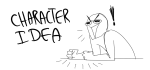
Character Ideas:

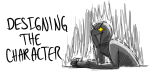
Character Design Ideas:

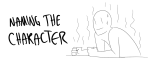
Naming Help:

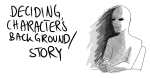
Creating Background/backstory:

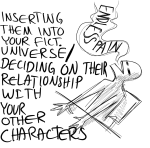
Character Interactions and putting your character into your world/story:

Bonus art masterlist!

BLESS EVERYONE IN THIS POST.

@refessence

octagonapus97:

artbymoga:

the-hopeful-actor:

thatoboekid:

tamarussia:

sungodphoebus:

ohgoditsafurry:

foervraengd:

Okay so I followed this video about foreshortening and…

Sycra. I love you so much for making this video.

YOU GOTTA BE FUCKING SHITTING ME

guys

GUYS

SHIT

image

SHIT GUYS

are you shitting me right now

years of me avoiding foreshortening aND IT WAS THIS EASY??

reblogging againg because holy cow, this HELPS

I’ll just have to watch this soon

I SERIOUSLY REBLOG THIS EVERTIME IT’S ON MY DASH! IT’S SO HELPFUL!!

@refessence

You bored, or feeling artsy but don’t have any inspiration…? *updated!*

octagonapus97:

trans-honeydew:

ladyevel:

Do you need to distract yourself? Or are you simply bored? Here are some great websites to make the time pass.

Still haven’t found something that would float your boat? Try these:

Maybe none of these peeked your interest-maybe you’ve been wanting to create an o.c, but never really knew how to start-or you just enjoy making O.C’s….Or maybe you have a Gemsona that you want to create, but don’t have the energy to draw!

This masterlist is to help you in making your own OCs….it can also apply to developing RP characters i suppose! (´ヮ`)!

Gemsona stuffs;

How to Write Better OCs:

Character Development:

Need an Appearance idea?

Diversity

Mary Sue/Gary Stu

Villains

Relationships

ARCHETYPES

NAMES

APPEARANCE

DETAILS

Need Item names?

Other stuffs!

Other Other stuffs!

WAIT!…if none of that worked, then maybe you want to make a southpark style character?

UNDERTALE STUFFS;

TMNT STUFFS;

Keep

@refessence

Attention ALL artists!

wunkolo:

sheodraws:

You sure have seen this post. It has spread like wildfire over the past few days so I doubt there is any artist out there who hasn’t seen it. But even if you didn’t, you should read on because I’m about to tell you a handy little thing that can help you to protect your art from such assholes as the anon who submitted this bullcrap, as well as art thieves in general.

The magic word is Metadata.

Metadata is like an invisible signature that is embeded into a file. It can contain all kinds of information, like Title, date, keywords for online seach engines, and copyright information. And the best thing is, since this information is “hidden” in the code of your picture, it’s hard to remove it.

There is a nice basic tutorial on how to add Metadata, or “additional file information” to your images in photoshop. It’s really, really easy so check it out!

“Adding Your Contact And Copyright Info To Your Photos With Photoshop” on PhotoshopEssentials.com

I’m not sure if you can do the same with any other art program. If you know how to do this in other programs / can confirm that it works the same way there, please tell me so I can add the information to this post.

Adding the Metadata will not stop idiots from taking and reposting your art. It also won’t make them stop editing out your signature. It WILL however, help you prove that you are the original artist whenever you have to.
Always remember my friends. You, the artist, are protected by law. No one has the right to take your intellectual property and hard work and repost, use or edit it without your permission. Ever.

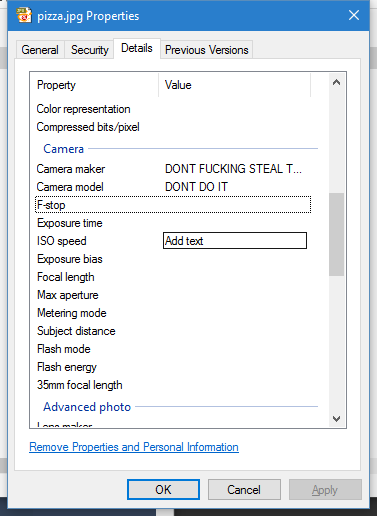
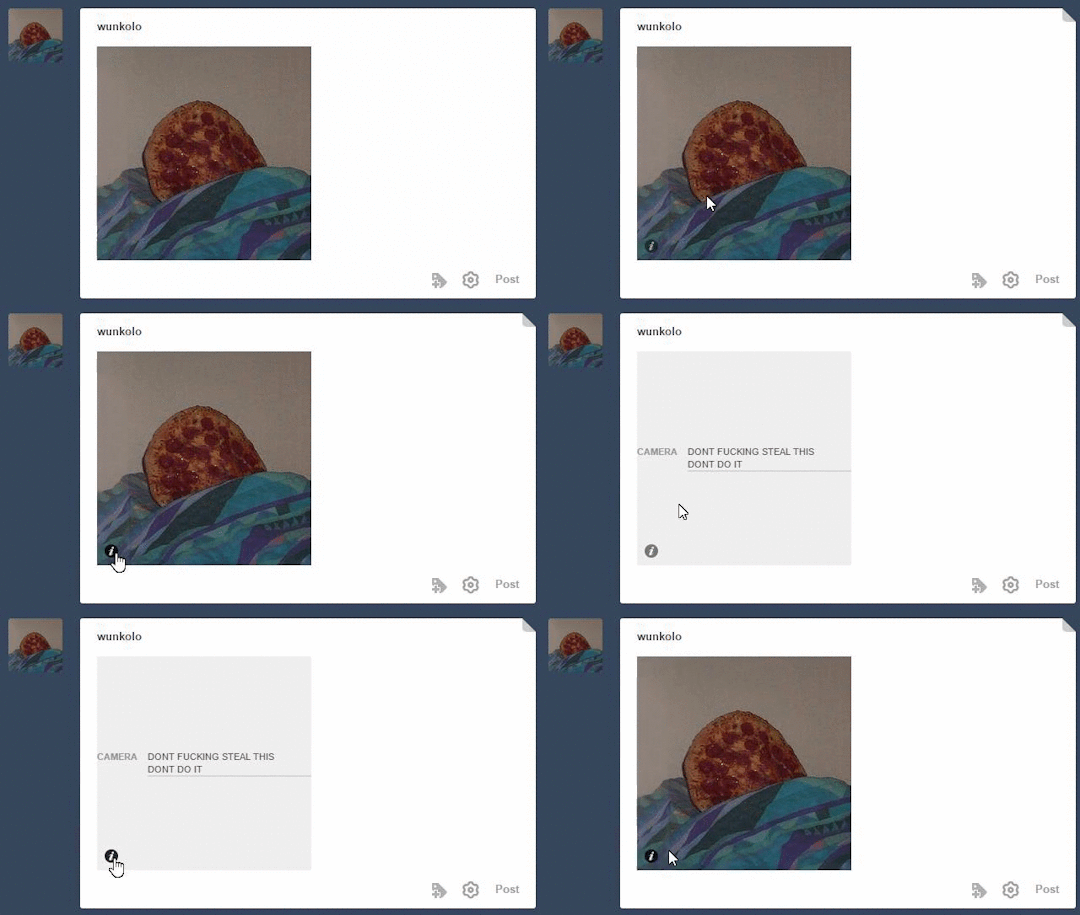
OP is talking about something images can store called EXIF data which tumblr can actually parse and that most image tools preserve no matter how much the image gets edited. Tumblr shows camera-related exif data as the little “i” on the bottom of images and not much else will show besides camera-related data(Author or Image Description fields aren’t immediately shown) but you can edit the camera name and model to source your art if it ever gets reposted to tumblr. This only works on JPG images. Right click your image and go to properties and go to the details tab and edit the camera-related exif metadata and it will show up when uploaded to tumblr. Even if the image was to be edited in photoshop or whatever.

image
image

Not sure if Mac users can do this as a native feature but they can use this [http://thexifer.net/]

tips for novice artists

octagonapus97:

gayndam:

  • eyeballs are 1 eyeball apart
  • legs are about the height of your head and torso combined
  • height = armspan 
  • arms are about ¾-4/5 the length of legs
  • hands are about 1/3 the length/width of your wrist to your elbow
  • your face should be about 4.5 eyeballs wide (3.5 if anime)
  • your face should be about 6 eyeballs long (3.5-4 if anime)
  • your eyes are in the middle of your head
  • muscles arent just bumps on arms
  • fat isnt just a balloon belly and skinny everything else
  • boobs are not anything like waterballoons
  • hair is more fluid than you think
  • USE REFERENCES!!
  • but dont copy!
  • dear lordy dont shade with black
  • draw more than normal standing poses at a ¾ view
  • draw more than one character/bodytype/thing
  • watch speedpaints on youtube
  • digital artists: SAVE. OFTEN. AND. ALOT.
  • experiment with different brushes
  • try to finish an artwork in a single session, if you have the energy/time
  • remember, you won’t be amazing the first time you draw
  • practice makes perfect!
  • draw what makes YOU happy!
  • remember to take criticism politely
  • however, you don’t have to be polite to people who are downright rude
  • send me an ask if you want to know more!

@refessence

tips for novice artists

octagonapus97:

gayndam:

  • eyeballs are 1 eyeball apart
  • legs are about the height of your head and torso combined
  • height = armspan 
  • arms are about ¾-4/5 the length of legs
  • hands are about 1/3 the length/width of your wrist to your elbow
  • your face should be about 4.5 eyeballs wide (3.5 if anime)
  • your face should be about 6 eyeballs long (3.5-4 if anime)
  • your eyes are in the middle of your head
  • muscles arent just bumps on arms
  • fat isnt just a balloon belly and skinny everything else
  • boobs are not anything like waterballoons
  • hair is more fluid than you think
  • USE REFERENCES!!
  • but dont copy!
  • dear lordy dont shade with black
  • draw more than normal standing poses at a ¾ view
  • draw more than one character/bodytype/thing
  • watch speedpaints on youtube
  • digital artists: SAVE. OFTEN. AND. ALOT.
  • experiment with different brushes
  • try to finish an artwork in a single session, if you have the energy/time
  • remember, you won’t be amazing the first time you draw
  • practice makes perfect!
  • draw what makes YOU happy!
  • remember to take criticism politely
  • however, you don’t have to be polite to people who are downright rude
  • send me an ask if you want to know more!

@refessence

HOLY FREE ART PROGRAMS BATMAN

giovannuzza:

I’ve had this list sitting around for a while (in case I ever want to try something new) and I thought I’d share it, because why the hell not, everybody loves free stuff. I’ve only used a couple, so for all I know these could be complete shit. BUT YOU NEVER KNOW, RIGHT?

*= available for both windows and mac os

GIMP * – Does a lot of the same stuff as Photoshop.

FireAlpaca * – Similar to Paint Tool Sai, so it’s a good alternative for Mac users.

Autodesk Sketchbook Copic Edition * – Simulates the look of copic markers.

MyPaint * – Basic stuff, nothing fancy.

Pinta * – Drawing program modeled after paint.NET.

Inkscape * – Vector/drawing program meant to be similar to Illustrator.

ArtRage * – Digital painting program; you can get the trimmed down version for free or buy the full version with more features.

Sumo Paint * – In-browser drawing app.

DAZ Studio * – Some sort of 3D model poser thing.

Pencil * – Software for animating.

SketchUp * – Tool for making 3D models. Looks handy for stuff like architectural drawings.

Blender * – Pretty popular 3D software.

escape motions * – Some browser apps, fun to fiddle with when you’re bored (the fluid fire simulation is pretty cool imo).

Twistedbrush (Pixarra) – Seems to be meant for replicating the look of traditional media.

Pixia/Phierha – A popular program in Japan, according to the website.

Krita – This was originally made for Linux and it looks like the developers haven’t ironed out all of the kinks in the Windows installer.

Artweaver – Another trimmed down free thing if you don’t want to buy the full program.

paint.NET – Pretty basic kit, probably good for simple stuff.

Project Dogwaffle – I’m not sure what this one is all about because I couldn’t stop laughing at the terrible website.

Speedy Painter – Lightweight digital painting program.

mtPaint – Originally made for pixel art; simple enough to run on older computers.

Chasys Draw IES – Supposed to be some sort of drawing+image editor thing.

PaintRibbon – Seems to be another plain old basic image editor.

DrawPlus – Looks like it’s made for graphic design and vector stuff.

SmoothDraw – I’m guessing this is a basic thing for people who don’t want to bother with complicated stuff.

bakrua:

ever wanted to do some stuff? like, different stuff? tired of having to scroll through your huge ref tag? LOOK NO FURTHER!! Have a masterpost of LITERALLY EVERYTHING which took me 5 hours to make so reblog it

Art:

Writing:

General: 

Makeup:

Gender:

Backgrounds:

Clothing: 

Cheer up/Be happy

Sowing:

Food:

Exercise: 

Games:

Mental health:

octagonapus97:

wandaluvstacos:

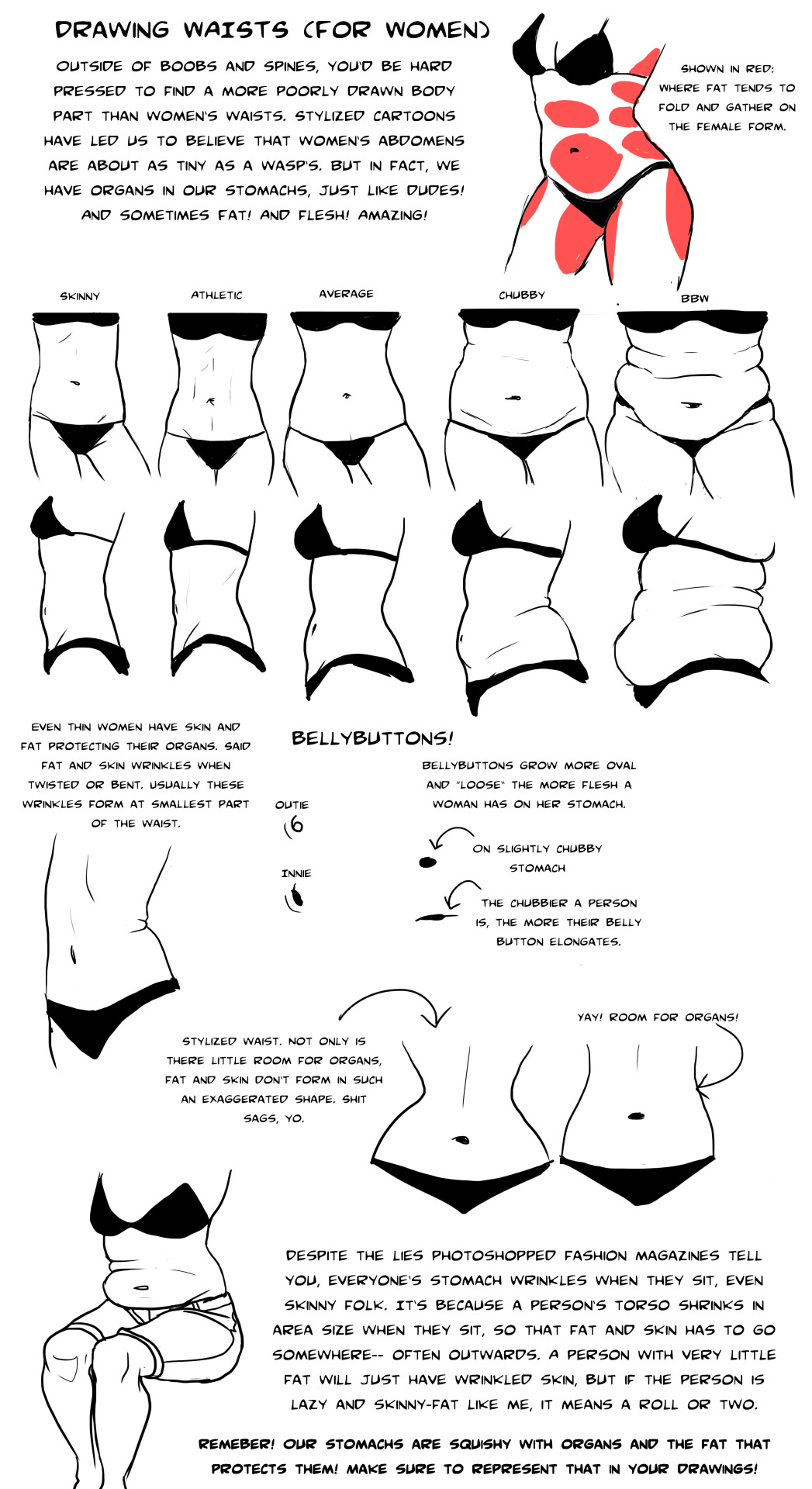
This will join my “boobs tutorial” as kind of half-ass but valuable information. I’m someone who enjoys drawing pudgy bellies, so I have a passion for this. XD Not all body shapes are represented, but I think as long as people understand where fat collects, it’s pretty easy to extrapolate to all body types. 

A lot of people tend to draw chubbier folks as just “wide skinny people”. Not how it works…

@refessence