So recently I came across a fellow artist who was struggling to find a free art program, and considering dropping the large amount of money for a Photoshop license. I know not everyone can afford such an expensive program, so I’ve compiled a list of programs with no cost to download and use.
Keep in mind all computers are different, so not all will work for everyone. Also, I’ve only ever used Windows, so for the most part, I’m not sure if everything will work for Mac. if in doubt check the website linked.
If you know more free programs, please add onto this!
OpenToonz has made many improvements since it’s initial release! (Windows & Mac)
Medibang Paint is a comic drawing software forked from FireAlpaca mentioned earlier in this post, and is available for mobile devices as well! (Windows, Mac, iOS, Android)
Sharing is Caring 🙂
Autodesk sketchbook is free too ^^
Tho you have to buy the full version, but the free one is good for quick sketches
i’m done with finals thank the lawd so i thought i’d compile a list of useful stuff and personal advice regarding personal hygiene or whatever :))
hair:
tips:
when showering, try to keep shampoo away from your ends. they dry out much more quickly, and shampoo strips away any natural oils or moisture in your ends, meaning your hair will look frizzy even after conditioner. the hair closer to your scalp is the only part that needs to be cleaned anyway. blake lively, the goddess of hair herself, swears by this.
don’t condition your hair near your scalp!! this will inevitably create product/oil buildup and will make your hair greasy and flat. only use it on your ends (for longer hair, start at the nape of ur neck and work toward the ends). also, let your conditioner sit for a minute or two after applying. i usually shave or wash my face while it sits so i make sure it has time to work its magic.
instead of wrapping wet hair in a towel twist, try the old t-shirt twist! t-shirts are much gentler and less abrasive against delicate wet hair, which, you guessed it, reduces frizz.
when brushing wet hair, start at the ends and work your way up. if you have to put in product before you brush it, like me, use a different brush at the scalp to reduce any product buildup/greasiness/flatness.
don’t go to bed with your hair wet. not only can you develop mold/bacteria in your hair if it stays wet too long (GROSS), wet hair is a lot more prone to breakage (meaning the more you toss and turn, the frizzier your hair will be). the main reason i advise against it is because it makes your scalp itch like crazy and can make your roots look oily the next day.
brush your hair out at the end of the day to distribute the natural oils in your scalp–this is good for creating shine, decreasing oiliness in second- or third-day roots, and growing out your hair.
please use heat protectants before drying/heat styling your hair!!
evenly distribute any products you put in by brushing them through.
if you have dandruff, get some selsun blue, head&shoulders, or neutrogena T-gel shampoo. they will save your life and your scalp.
don’t use scalding hot water when showering, ESPECIALLY if you have colored hair. not only does it basically strip color from your hair, it’s bad for your hair texture and health. try to use warm to cool water (the colder the water, the shinier your hair!! it helps seal the hair shaft).
if your hair lacks body, especially near the scalp, it could be the result of product buildup. try using a clarifying shampoo once every week or two depending on your hair’s thickness.
if your hair is still flat, try changing your part! it instantly changes your look and can immediately add volume.
try to get your hair trimmed every 6 months, at the least.
sea salt spray creates instant body and texture on most hair types. it is especially great if you have wavy to curly hair or short hair. one of my favorites is organix moroccan oil sea salt spray– you can find it at drugstores for a great price and it works beautifully, plus the moroccan oil adds shine and softness. another good and even cheaper one is nym sea salt spray (also available at most drugstores).
coconut oil is a godsend. use it as a hair mask, an after-shower detangler, a product in place of smoothing creme, or put a tiny bit on your fingers to smooth flyaways. you can basically use it for whatever u want. just make sure it’s organic or else you’re not helping your hair much lol
use an unscented pH balanced bar soap, such as dove or aveeno, to prevent dryness, acne, or any harsh chemicals from damaging your skin. this is especially important when washing your underarms, ya bizness, and any other sensitive areas.
liquid body wash actually tends to clog pores more than bar soap, so if you have body acne, try cleansing with bar soap instead.
the best way to get rid of body acne is to use a spray with salicylic acid after drying your skin post-shower. my favorite is acnefree, but neutrogena body clear and nature’s cure are also great. if you have long hair, try to keep it off your back/shoulders, especially when wet/after applying product.
if you have keratosis pilaris, also known as KP (google for images), the best way to get rid of it is to exfoliate with either a sugar scrub or a gentle exfoliator in the shower, then moisturize immediately after you dry off. it’s really just the result of dry skin, so if you maintain it you could get rid of it. this goes for dry skin in general.
if you shave, always buy men’s razors. you get a much closer and smoother shave since they’re made for faces instead of legs. i know they’re not cute or colorful, but you can get more razors as well as more/better blades for less money. i can get 5 men’s disposable razors with 4 blades each for $8, instead of 3 women’s razors with 3 blades each for like $11. it’s a conspiracy. buy men’s razors please. dismantle the constructs of gender
moisturize when you get out of the shower, after you dry off a little. it will help your skin retain moisture better and make your skin softer, since water and soap dry it out. i don’t recommend using baby oil since mineral oil is terrible for your skin, and i don’t recommend stuff with artificial fragrances or dyes, but if you want to smell like jasmine midnight kisses or w/e then do ur thing. i usually use aveeno, eucerin, aquaphor body lotion, or just coconut oil since they’re all great for sensitive skin and absorb quickly.
please shower after you work out or sweat a lot. you will prevent body acne, bacteria buildup, yeast infections, smelling horrendous, and even staph infection (particularly if you go to the gym). you don’t have to wash your hair every time unless you’re drenched in sweat but please shower.
underarms are sensitive children who will throw tantrums if you don’t pay them proper attention. try to find deodorant without aluminum or any weird preservatives to prevent rashes. i recommend tom’s deodorant or making your own.
if you have really dry, cracking feet, try putting vaseline or a thick lotion (i use burt’s bees coconut foot creme) on your feet, put on socks, and keep them on overnight. it will feel a little weird and squishy at first, but after a few days you will definitely find it worth the weirdness!!
i cannot stress enough how amazing coconut oil is. use it as a makeup remover (especially wonderful for eye makeup!!), a moisturizer, or even as an acne treatment:
if you have one of those god-awful huge, painful blemishes, mix coconut oil with some 100% tea tree oil (dilute the tea tree oil like this or you WILL get a rash) and use it as a spot treatment. the coconut oil balances the oil on your skin, while the tea tree oil kills bacteria.
be gentle when dealing with your skin, especially with pulling and tugging around your eyes. you will thank me when you’re older.
don’t listen to vogue or cosmo and don’t start using anti-aging products in your twenties. please. you don’t need it. do incorporate sun protection into your daily routine. get a moisturizer with spf in it to protect your skin and use it in the mornings. this will prevent wrinkles and, more importantly, skin cancer.
wash your face first thing in the morning to get rid of all the nasty excess oil you produce in your sleep. wash it before you go to bed (after removing makeup) too.
after washing your face, apply a toner (or, if you have acne, a treatment containing salicylic acid. i use clearisil 5 in 1 pads or neutrogena natural spot treatment), let it dry, and then moisturize. this is so important. i don’t care who you are or your skin type. when you apply acidic products or wash your face without moisturizing it, your skin gets stripped of natural oils/moisture and then panics by creating an excess of oil, meaning you get greasy skin and acne. get a moisturizer that works with your skin type and i promise you will notice a difference if you don’t already use it.
if you wear makeup and want to go for a quick/easy/natural/no-makeup look, or if you don’t have time to do your full face, or if you think you look dead bc you didn’t sleep, you don’t need to do a bunch of extra stuff. just cover up any acne with concealer, put on some blush and mascara, and then leave everything else alone. blush is magical and will instantly make you look fresh and young and alive and pretty.
don’t touch your acne. the more you touch it, the worse it gets. if you have to…pop it (i’m sorry that’s so gross i couldn’t think of another way to say it), just make sure you wash your hands first and disinfect/put acne treatment on it directly afterward. STOP trying to do anything if you see blood or if it gets too painful.
clean your phone screen and glasses frames with an alcohol swab every few days to keep your face clean.
please, for the love of god, don’t put lemon juice or baking soda on your face. it is so corrosive. don’t listen to pinterest. also, don’t use sugar scrub or body exfoliator on your face as it’s way more delicate than your body’s skin.
if you get a lot of chin-area acne, it could be a hormonal issue. talk to your doctor about birth control, and if you’re already taking it then make sure you’re taking it regularly (which you should be anyway omg)
wash/change your sheets and pillowcas(es) every two weeks at the LEAST. imagine how much nastiness gets on your pillowcase from hair products, oil, dead skin…i don’t even wanna think about what gets on it. plus, fresh sheets always make everything better 🙂
drink lots of water every day. your skin needs it.
above all, love your skin. be gentle to it. treat it well. it will love you back if you do.
Hi! Are you a fan of Life is Strange or write for a character that has photography skills Or maybe have a general interest in Photography? Well I present to you a helpful list of links for photography terms, topics, etc.
I said that I’d show some tutorials I have saved up to someone, but decided that I’d just go ahead and post most of what I have stored away and create a sort of masterpost out of it. (I figure it’ll help me just as much since, as of now, they’re all pretty scattered between my Tumblr and bookmarks)
A lot of these are hosted on my personal Tumblr, but I don’t change my url so it’s pretty safe to bookmark them there (and not have to worry about the url changing) if you don’t wish to reblog them yourself for whatever reason.
I like pretending I know many things when in reality I have a vague knowledge of a few things. notify me if one of these links is screwed up, anything important has to be added, etc
Rejoice fellow uni students looking for some studyspo, we urge you to take a few free lessons, as well as academic lessons provided from actual universities on several topics. Have a look at the 50 top learning sites you can find online to help you save some time.
Art and Music
Dave Conservatoire — Dave Conservatoire is an entirely free online music school offering a self-proclaimed “world-class music education for everyone,” and providing video lessons and practice tests.
Drawspace — If you want to learn to draw or improve your technique, Drawspace has free and paid self-study as well as interactive, instructor-led lessons.
Justin Guitar — The Justin Guitar site boasts over 800 free guitar lessons which cover transcribing, scales, arpeggios, ear training, chords, recording tech and guitar gear, and also offers a variety of premium paid mobile apps and content (books/ ebooks, DVDs, downloads).
Math, Data Science and Engineering
Codecademy— Codecademy offers data science and software programming (mostly Web-related) courses for various ages groups, with an in-browser coding console for some offerings.
Stanford Engineering Everywhere — SEE/ Stanford Engineering Everywhere houses engineering (software and otherwise) classes that are free to students and educators, with materials that include course syllabi, lecture videos, homework, exams and more.
Big Data University — Big Data University covers Big Data analysis and data science via free and paid courses developed by teachers and professionals.
Better Explained — BetterExplained offers a big-picture-first approach to learning mathematics — often with visual explanations — whether for high school algebra or college-level calculus, statistics and other related topics.
Design, Web Design/ Development
HOW Design University — How Design University (How U) offers free and paid online lessons on graphic and interactive design, and has opportunities for those who would like to teach.
HTML Dog — HTML Dog is specifically focused on Web development tutorials for HTML, CSS and JavaScript coding skills.
Skillcrush — Skillcrush offers professional web design and development courses aimed at one who is interested in the field, regardless of their background — with short, easy-to-consume modules and a 3-month Career Blueprints to help students focus on their career priorities.
Hack Design — Hack Design, with the help of several dozen designers around the world, has put together a lesson plan of 50 units (each with one or more articles and/or videos) on design for Web, mobile apps and more by curating multiple valuable sources (blogs, books, games, videos, and tutorials) — all free of charge.
General – Children and Adults
Scratch – Imagine, Program, Share — Scratch from MIT is a causal creative learning site for children, which has projects that range from the solar system to paper planes to music synths and more.
Udemy— Udemy hosts mostly paid video tutorials in a wide range of general topics including personal development, design, marketing, lifestyle, photography, software, health, music, language, and more.
E-learning for kids — E-learning for Kids offers elementary school courses for children ages 5-12 that cover curriculum topic including math, science, computer, environment, health, language, life skills and others.
Ed2go — Ed2go aims their “affordable” online learning courses at adults, and partners with over 2,100 colleges and universities to offer this virtual but instructor-led training in multiple categories — with options for instructors who would like to participate.
GCF Learn Free — GCFLearnFree.org is a project of Goodwill Community Foundation and Goodwill Industries, targeting anyone look for modern skills, offering over 1,000 lessons and 125 tutorials available online at anytime, covering technology, computer software, reading, math, work and career and more.
Stack Exchange — StackExchange is one of several dozen Q+A sites covering multiple topics, including Stack Overflow, which is related to computer technology. Ask a targeted question, get answers from professional and enthusiast peers to improve what you already know about a topic.
HippoCampus — HippoCampus combines free video collections on 13 middle school through college subjects from NROC Project, STEMbite, Khan Academy, NM State Learning Games Lab and more, with free accounts for teachers.
Howcast— Howcast hosts casual video tutorials covering general topics on lifestyle, crafts, cooking, entertainment and more.
Memrise — Lessons on the Memrise (sounds like “memorize”) site include languages and other topics, and are presented on the principle that knowledge can be learned with gamification techniques, which reinforce concepts.
SchoolTube — SchoolTube is a video sharing platform for K-12 students and their educators, with registered users representing over 50,000 schools and a site offering of over half a million videos.
Instructables — Instructables is a hybrid learning site, offering free online text and video how-to instructions for mostly physical DIY (do-it-yourself) projects that cover various hands-on crafts, technology, recipes, game play accessories and more. (Costs lie in project materials only.)
creativeLIVE — CreativeLive has an interesting approach to workshops on creative and lifestyle topics (photography, art, music, design, people skills, entreprenurship, etc.), with live access typically offered free and on-demand access requiring purchase.
Do It Yourself— Do It Yourself (DIY) focuses on how-tos primarily for home improvement, with the occasional tips on lifestyle and crafts topics.
Adafruit Learning System — If you’re hooked by the Maker movement and want to learn how to make Arduino-based electronic gadgets, check out the free tutorials at Adafruit Learn site — and buy the necessary electronics kits and supplies from the main site.
Grovo — If you need to learn how to efficiently use a variety of Web applications for work, Grovo has paid (subscription, with free intros) video tutorials on best practices for hundreds of Web sites.
General College and University
edX — The edX site offers free subject matter from top universities, colleges and schools from around the world, including MIT and Harvard, and many courses are “verified,” offering a certificate of completion for a nominal minimum fee.
Cousera— Coursera is a learning site offering courses (free for audit) from over 100 partners — top universities from over 20 countries, as well as non-university partners — with verified certificates as a paid option, plus specializations, which group related courses together in a recommended sequence.
MIT Open Courseware— MIT OpenCourseWare is the project that started the OCW / Open Education Consortium [http://www.oeconsortium.org], launching in 2002 with the full content of 50 real MIT courses available online, and later including most of the MIT course curriculum — all for free — with hundreds of higher ed institutions joining in with their own OCW course materials later.
Open Yale Courses — Open Yale Courses (OYC) are free, open access, non-credit introductory courses recorded in Yale College’s classroom and available online in a number of digital formats.
Open Learning Initiative — Carnegie Mellon University’s (CMU’s) Open Learning Initiative (OLI) is course content (many open and free) intended for both students who want to learn and teachers/ institutions requiring teaching materials.
Khan Academy — Khan Academy is one of the early online learning sites, offering free learning resources for all ages on many subjects, and free tools for teachers and parents to monitor progress and coach students.
MIT Video— MITVideo offers over 12,000 talks/ lecture videos in over 100 channels that include math, architecture and planning, arts, chemistry, biological engineering, robotics, humanities and social sciences, physics and more.
Stanford Online — Stanford Online is a collection of free courses billed as “for anyone, anywhere, anytime” and which includes a wide array of topics that include human rights, language, writing, economics, statistics, physics, engineering, software, chemistry, and more.
Harvard Extension School: Open Learning Initiative — Harvard’s OLI (Open Learning Initiative) offers a selection of free video courses (taken from the edX selection) for the general public that covers a range of typical college topics, includings, Arts, History, Math, Statistics, Computer Science, and more.
Canvas Network — Canvas Network offers mostly free online courses source from numerous colleges and universities, with instructor-led video and text content and certificate options for select programs.
Quantum Physics Made Relatively Simple — Quantum Physics Made Relatively Simple” is, as the name implies, a set of just three lectures (plus intro) very specifically about Quantum Physics, form three presentations given by theoretical physicist Hans Bethe.
Open UW — Open UW is the umbrella initiative of several free online learning projects from the University of Washington, offered by their UW Online division, and including Coursera, edX and other channels.
UC San Diego Podcast Lectures — Podcast USCD, from UC San Diego, is a collection of audio and/or video podcasts of multi-subject university course lectures — some freely available, other only accessible by registered students.
University of the People— University of the People offers tuition-free online courses, with relatively small fees required only for certified degree programs (exam and processing fees).
NovoEd— NovoEd claims a range of mostly free “courses from thought leaders and distinguished professors from top universities,” and makes it possible for today’s participants to be tomorrow’s mentors in future courses.
IT and Software Development
Udacity — Udacity offers courses with paid certification and nanodegrees — with emphasis on skills desired by tech companies in Silicon Valley — mostly based on a monthly subscription, with access to course materials (print, videos) available for free.
Apple Developer Site — Apple Developer Center may be very specific in topics for lessons, but it’s a free source of documentation and tutorials for software developers who want to develop apps for iOS Mobile, Mac OS X desktop, and Safari Web apps.
Google Code— As with Apple Developer Center, Google Code is topic-narrow but a good source of documentation and tutorials for Android app development.
Code.org — Code.org is the home of the “Hour of Code” campaign, which is aimed at teachers and educators as well as students of all ages (4-104) who want to teach or learn, respectively, computer programming and do not know where to start.
Mozilla Developer Network— MDN (Mozilla Developer Network) offers learning resources — including links to offsite guides — and tutorials for Web development in HTML, CSS and JavaScript — whether you’re a beginner or an expert, and even if you’re not using Mozilla’s Firefox Web browser.
Learnable — Learnable by Sitepoint offers paid subscription access to an ebook library of content for computers and tablets, and nearly 5,000 videos lessons (and associated code samples) covering software-related topics – with quizzes and certification available.
Pluralsight— Pluralsight (previously PeepCode) offers paid tech and creative training content (over 3,700 courses and 130K video clips) for individuals, businesses and institutions that covers IT admin, programming, Web development, data visualization — as well as game design, 3D animation, and video editing through a partnership with Digital-Tutors.com, and additional software coding lessons through Codeschool.com.
CodeHS — CodeSchool offers software coding lessons (by subscription) for individuals who want to learn at home, or for students learning in a high school teacher-led class.
Aquent Gymnasium— Gymnasium offers a small but thorough set of free Web-related lesson plans for coding, design and user experience, but filters access by assessing the current knowledge of an enrollee and allows those with scores of at least 70% to continue.
Oh hey it’s back on my dash perfect! I was just thinking of this the other day!
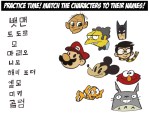
OHOHOHO wow the Korean alphabet is awesome. The people who designed it were geniuses and were obviously incredibly schooled in the morphology and phonology of their language. HNNGGG
wow
여러분 모두 한국어 쓰세요 한국어 좋음
한국어, 한글은 보면 맨날쓰는거지만 볼수록,쓸수록 예뻐요..참으로 곱구나’3’♥
ㅇ어머 (감동
짱 이쁜 한국어 쓰세요 여러분
굳
신기하게 가르치는군요 보고 신기했다
FUN FACT!
IT WASN’T JUST ANY OLD DUDE WHO DECIDED, “HEY I WANT TO CREATE A KOREAN ALPHABET.”
IT WAS KING SEJONG, WHO ORDERED HIS ROYAL SCHOLARS TO CREATE THIS ALPHABET SO READING AND WRITING COULD BE ACCESSIBLE TO EVERYONE, EVEN THE PEASANTS. IT WAS PURPOSELY DESIGNED TO BE EASY TO LEARN.
SO SHOUT OUT TO KING SEJONG, WHO REALIZED BEFORE MANY OTHERS THE IMPORTANCE OF UNIVERSAL LITERACY.
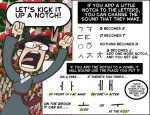
reblogging to share the resource but I do want to point out that the code amounts to “pinterest no pinning”. like dora the explorer’s swiper the fox… but if swiper were a middle-aged stay-at-home-mom with a smartphone. technology is truly amazing
Ey! Those who have to deal with those art thieves on Pinterest can use this code from Pinterest themselves!








 refessence