
nakedangrydoll:

frappuccinhoes:

kyleehenke:

ihaveamicrophone:

darkoverord:

dalehan:

pwnypony:

image

GUYS. GUYS.

GUYS.

HOLY FUCK.

GOOD GUY ADOBE releases the ENTIRE CS2 SUITE. FOR FREE.

image

That means free access to Photoshop CS2 – and that already has most of what you could ask for, really.

All you have to do is create a FREE ADOBE ID.

I am not sure about commercial use, but MAN. FUCKIN’ SWEET DUDE

Reblogging for the greater good.

I’m unlikely to pick it up as I honestly never use PS anymore, but here everyone who follows me. Free stuff.

oh wow this is perfect i was just lamenting that i’d have to buy creative suite for my new laptop WELP

Signal boost for any of my followers who need art programs!

The cs2 programs date back only a few years, and still have much of the functionality of today’s more modern ones. The differences between most of the versions are little more than slight modifications or additions of minor features, and UI changes. Go for it guys!!

Also, in case the page is down, here are the download links + serials.

officersnowball

FREE ART PROGRAMS!

Themed CC Lists Sims 4

sssvitlans:

NEW ***

History

Holidays

Conversions

Colour actions

Cultural

Decorating styles

Styles

Seasons

Other

Pop culture

Harry Potter || Hobbit || El Principito

Animal crossing || Bioshock || Bloodrayne || Borderlands || Dragon age || Draenei || Fallout || Grand Theft Auto || Life Is Strange || Mario series || Mass effect ||  Pacman || Pokemon || Resident Evil || Tomb Raider || Undertale || Until dawn || Zelda

Alice || Big Hero six || Bloodrayne || Game of Thrones || Ghibli || Harry Potter || Horror || Lotr || Mad max || Magical girl || Monsters inc || Silent Hill || Species || Totoro || Van Helsing

Captain America

Adventure time || Avatar ||  Doctor Who || Final Fantasy || Friends || Game of Thrones || Grimm House || Harry Potter || Hello Kitty || Minions || Pokemon || Pucca || Resident Evil || Sailor Moon || Simpsons || Smurfs || Stargate || Star Wars || Steven universe || Supernatural || Teen Wolf || Tokyo Mew Mew

How to other eye

octagonapus97:

pygmygiantsquid:

roryscribbles:

ALRIGHT, so, I know a lot of people have trouble making eyes match. Yesterday I found out a way to make it significantly easier! Here’s a small guide.

image

Well, first of all, you have your face. mark where the eyes should be on it.

image

Then mark the corners of the eyes and go over the middle again, to make the next step easier

image

Alright, I know it sounds a bit crazy, but draw this shape, trying to make it as symmetrical as you can.

image

Draw the eyes using that shape as a guide and TA-DA! They match! For different eye shapes you tweak the angle of the two guide lines.

image

And it also helps with angles where the size and shape of the eye is distorted, you just put it in perspective.

image

I think the theory behind it is that the thing that makes it hard to make the eyes match is the angle of the corners, and this type of guideline helps make them even, which makes the eyes look symmetrical. Welp, here it is! I hope it helps someone!

reblog to save a life

@refessence

Tumblr descriptions

glenthemes:

As of today (2017/01/21) I’ve noticed that Tumblr descriptions that have HTML integrated in them no longer show up properly. Tumblr now completely ignores and deletes any custom HTML and only shows plain text. One way to fix this problem:

  1. Go to your Tumblr main page, right-click and view page source. Do this BEFORE you click “Edit Theme”
  2. Search for your description text in the source page by typing the exact words of your description
  3. Copy your description text. It should be in between
    and

    . Note that the word “desc” can be anything, it’s just the element name that holds your text

  4. Go into “Edit HTML” of your Edit Theme page, and replace {Description} with your description text you just copied

All the HTML of your description should now be intact. Note that you will have to repeat this process if you change your theme.

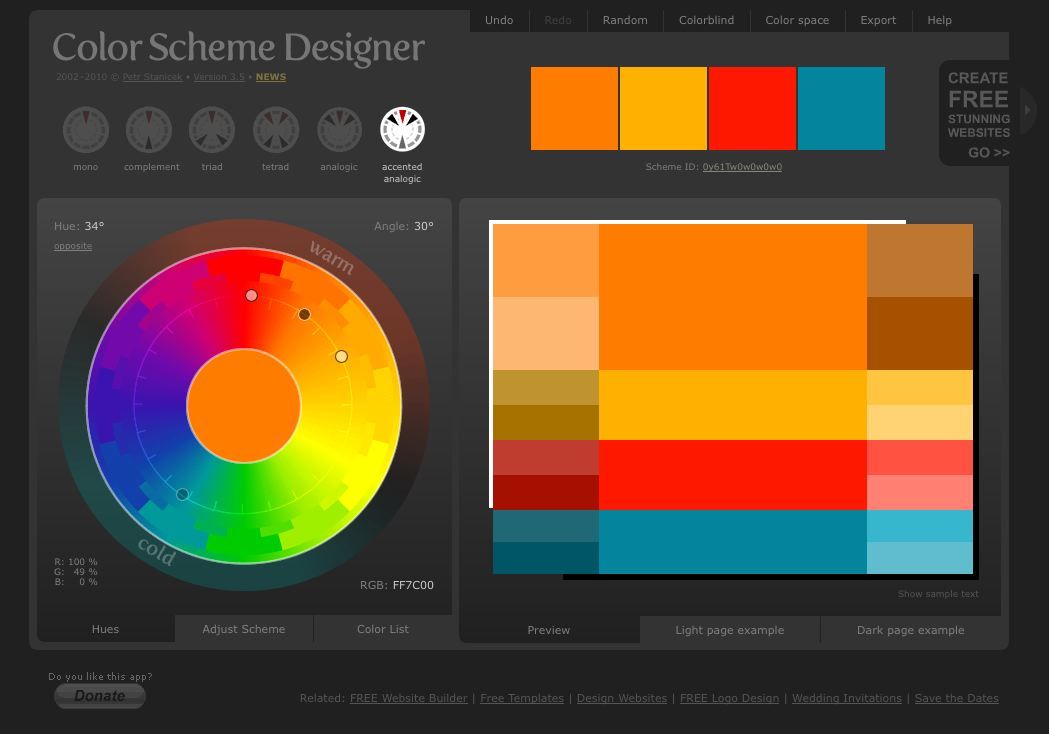
shading colour tips

nocturnenebula:

bravestghost:

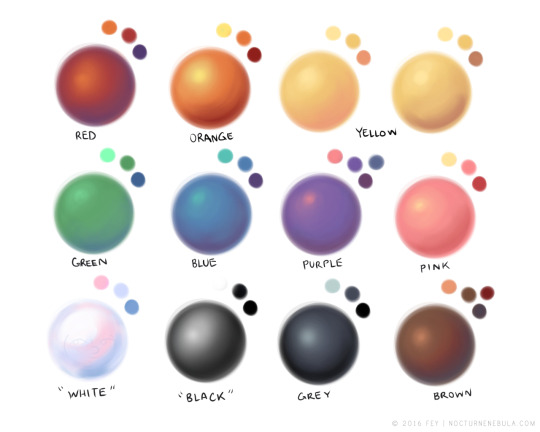
hey yall its me the Art Mom™ to help you shade pretty

rule 1: DO NOT SHADE WITH BLACK. EVER. IT NEVER LOOKS GOOD. 

  • red– shade with a slightly darker shade of purple
  • orange– slightly darker and more saturated shade of red
  • yellow– i think like..a peach could work but make it a really light peach
  • green– shade with darker and less saturated shade of blue or teal
  • blue– shade with purple
  • purple– a shade thats darker than the purple you’re using and maybe a little pink (MAYBE blue)
  • pink– darker shade of red
  • white– a really light lavender or blue..or i guess any really light colour??
  • black– okay listen dont use pure black to colour anything unless you want to leave it with flat colours because you cant really shade black lol
  • grey– a slightly darker shade of purple or blue (less saturated)
  • brown– slightly darker and less saturated shade of purple or red

aaaaand thats all i got lol. let me know if there is anything i should add to this list!!

If you’re a visual learner…

I made some Balls of Colour to go with Art Mom™’s post:

bludragongal:

shingworks:

Get more writing practice and have fun doing it with ~the supplement~

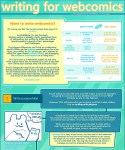
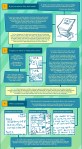
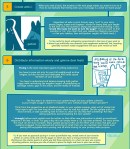
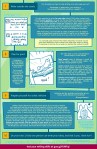
This tutorial contains tips about writing for webcomics, with my caveat that I’m not formally trained in any of this stuff~~ This is all just my personal observations and tips from the past 10 years of putting comics online, but they’ve served me pretty well so far! For some examples of this info applied to my own work, feel free to check out my webcomics at The Meek and Mare Internum.

All of my tutorials are released in lower-res format to the public 6 months after
publication at the Shingworks Patreon. You can access the full tutorial archive, as well as nearly 1.5
years worth of bonus content, by becoming a Patron :] I just wrapped up a two part tutorial about building and launching Patreons, good times.

and thanks in advance for not removing my text ❤

Der-shing says it best.